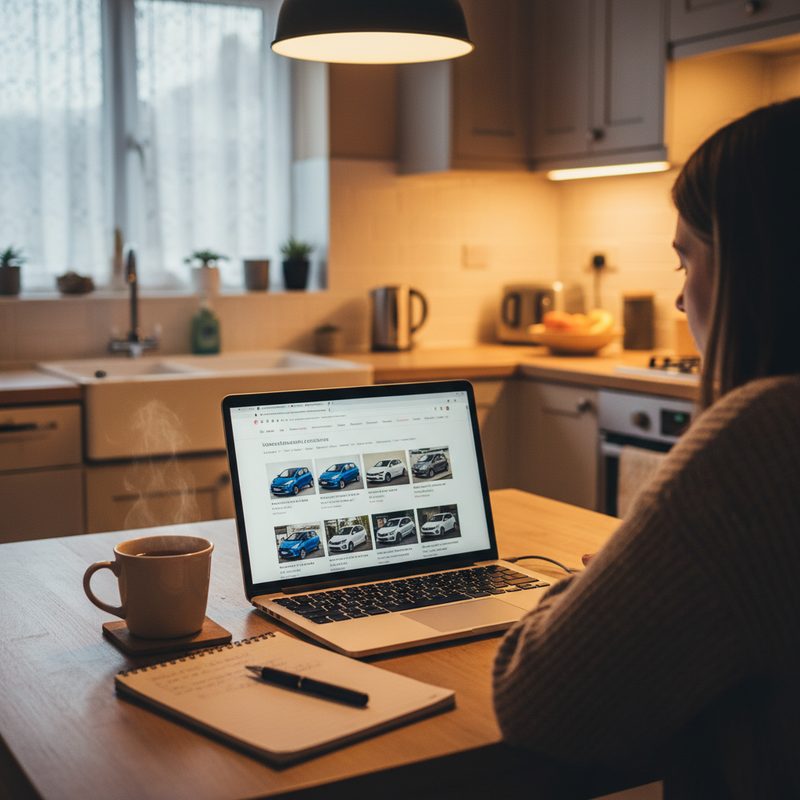
Buying a Used Car Online and Having It Delivered UK
Learn how to navigate the online used car buying process in the UK, from preparation to delivery, with practical tips and a handy checklist.
Introduction
Buying a used car online can feel like a daunting task, especially if you’re not sure where to start. But fear not! With a bit of guidance, you can navigate the process smoothly and even have your new wheels delivered right to your doorstep. This guide will walk you through the step-by-step process of buying a used car online in the UK, what documents you need, common pitfalls to avoid, and some practical tips from my years of experience in the industry. Plus, I’ll remind you to use my free vehicle check tool before making any final decisions. Let’s get started!
Step-by-Step Process Explained
Step 1: Set Your Budget
Before you dive into the online marketplace, it’s crucial to establish a budget. Consider not just the purchase price but also insurance, road tax, maintenance, and fuel costs. A good rule of thumb is to set aside an additional 10-20% of your budget for these ongoing expenses. For instance, if you’re looking at a car priced at £8,000, aim for a total budget of around £9,000 to £9,600.
Step 2: Research Your Options
Once you’ve got your budget sorted, it’s time to research. Think about what type of car suits your needs. Are you looking for a compact city car, a family SUV, or perhaps a sporty hatchback? Websites like AutoTrader, CarGurus, and even eBay Motors can give you a good idea of what’s available in your price range. Make a list of potential models and their average prices.
Step 3: Use My Free Vehicle Check Tool
Before you get too attached to a specific car, it’s essential to check its history. This is where my free vehicle check tool comes into play. It can help you uncover vital information such as previous accidents, outstanding finance, and whether the car has been stolen. It’s a quick and easy way to ensure you’re not buying a lemon.
Step 4: Contact the Seller
Once you’ve narrowed down your options, reach out to the seller. Whether it’s a dealership or a private seller, don’t hesitate to ask questions. Inquire about the car’s condition, service history, and any modifications. If it’s a dealership, check their reputation through reviews and ratings. A good seller should be transparent and willing to provide information.
Step 5: Arrange a Viewing (if possible)
If you’re buying from a private seller, it’s best to arrange a viewing. While buying online often means you won’t see the car in person, if you can, do it. This allows you to inspect the vehicle and take it for a test drive. If the seller is unwilling to let you see the car, that’s a red flag. If you’re buying from a dealership, they often have a return policy, but it’s still wise to check the car out first.
Step 6: Negotiate the Price
Once you’re satisfied with the car’s condition, it’s time to talk price. Don’t be afraid to negotiate. Use your research to justify your offer. If you’ve found similar models for less, mention that. Remember, the worst they can say is no!
Step 7: Finalise the Purchase
If you’re happy with the price, it’s time to finalise the purchase. Ensure you have all the necessary documents, which I’ll cover in the next section. If you’re buying from a dealership, they’ll typically handle most of the paperwork for you.
Step 8: Arrange Delivery
If you’re buying online, the seller will likely offer delivery options. Make sure to clarify the delivery costs and timeframe. Some dealerships may offer free delivery within a certain radius, while others may charge a fee. If you’re buying from a private seller, you may need to arrange your own transport.
What Documents/Preparation You Need
When buying a used car online, having the right documents is essential. Here’s a checklist of what you’ll need:
1. V5C Registration Document
This document proves that the seller is the registered keeper of the vehicle. Ensure the details match the car you’re buying.
2. Service History
A full service history can indicate how well the car has been maintained. Look for receipts and stamps from garages.
3. MOT Certificate
If the car is over three years old, it should have a valid MOT certificate. This document shows that the car has passed safety and emissions tests.
4. Proof of Identity
You may need to provide proof of identity, especially if you’re buying from a dealership. A driving licence or passport is usually sufficient.
5. Insurance
Before you can drive your new car, you’ll need to arrange insurance. Get quotes in advance to avoid any surprises.
6. Payment Method
Decide how you’ll pay for the car. Bank transfers are common, but ensure you’re using a secure method. Avoid cash transactions for larger amounts.
Common Mistakes to Avoid
1. Skipping the Vehicle Check
One of the biggest mistakes you can make is skipping the vehicle check. Always use my free tool to ensure you’re making a safe purchase.
2. Not Researching the Seller
Whether it’s a dealership or a private seller, do your homework. Check reviews and ratings to avoid scams.
3. Ignoring the Fine Print
Read all the terms and conditions, especially regarding returns and warranties. Some dealerships offer a short return period, while others may not.
4. Rushing the Process
Take your time. Don’t feel pressured to make a quick decision. It’s better to wait for the right car than to rush into a purchase you might regret.
5. Forgetting About Additional Costs
Remember to factor in insurance, road tax, and maintenance when budgeting. These costs can add up quickly.
Legal Rights and Protections
When buying a used car online, you have certain legal rights under the Consumer Rights Act 2015. Here are a few key points:
1. Right to a Refund
If the car is not as described, you have the right to a full refund within 30 days. This applies to both private sellers and dealerships.
2. Right to Repairs
If you discover a fault after the initial 30 days, you can request a repair or replacement. This is particularly relevant if you bought from a dealership.
3. Distance Selling Regulations
If you purchase a car online, you’re protected under distance selling regulations. This means you have the right to cancel your order within 14 days of receiving the vehicle.
Practical Tips from Dave's Experience
1. Don’t Skip the Test Drive
If possible, always take the car for a test drive. This will give you a feel for how it handles and whether there are any issues you can detect.
2. Check for Recalls
Before finalising your purchase, check if the car has any outstanding recalls. You can do this through the manufacturer’s website or the DVSA.
3. Get a Professional Inspection
If you’re unsure about the car’s condition, consider hiring a professional to inspect it before you buy. It may cost a bit, but it’s worth it for peace of mind.
4. Keep All Documentation Safe
Once you’ve completed the purchase, keep all documentation in a safe place. This includes the V5C, service history, and any receipts.
5. Don’t Be Afraid to Walk Away
If something doesn’t feel right, trust your instincts. There are plenty of cars out there, so don’t settle for less than you deserve.
Checklist or Action Items
Here’s a handy checklist to follow as you navigate the online used car buying process:
- Set your budget (including additional costs)
- Research car models and prices
- Use the free vehicle check tool
- Contact the seller and ask questions
- Arrange a viewing and test drive (if possible)
- Negotiate the price
- Finalise the purchase and gather documents
- Arrange delivery
- Insure your new car
Conclusion
Buying a used car online can be a straightforward process if you follow the right steps. From setting your budget to using my free vehicle check tool, being prepared is key. Remember to do your research, ask questions, and trust your instincts. With a bit of patience and diligence, you’ll be driving away in your new car before you know it. Happy car hunting!
Use Dave's free vehicle check tool before buying any used car
Get Dave's free AI-powered vehicle check before you make a decision.